
What I did :
This week in Info-tech 11, we used flash. In flash, we followed a tutorial to make our very own
"movie." We used the animation features and made our own trees, houses, road, and car. The concept of this is when you press the "Start Movie" button, your car is supposed to move from one end of the screen to the other.
 <--- We posted it to our blogs after we finished.
What I learned :
This week in Info-Tech 11, we learnt many things in flash. First, we learned how to maneuver around the program using the rectangle, line, and many other tools. We also learned how to make the "Start Button" glow green and gold when hovering or pressing it. Another thing we learned was the sound and how to add the honking sound of the horn We also learned a lot of commands such as :
Frame = F5
Keyframe = F6
Blank Frame = F7
CTRL - X = Cut
CTRL Enter = Play movie
CTRL - V = Paste
Shift - CTRL - V = Paste in place
CTRL - G = group
CTRL - B = break
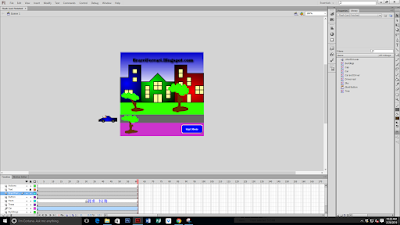 <--- Final Product
 <---- When we inserted the sound into the movie.
Oh right.... The legendary "Clock" :
This week in Info-tech 11, we used flash. In flash, we followed a tutorial to make our very own
"movie." We used the animation features and made our own trees, houses, road, and car. The concept of this is when you press the "Start Movie" button, your car is supposed to move from one end of the screen to the other.
 <--- We posted it to our blogs after we finished.
What I learned :
This week in Info-Tech 11, we learnt many things in flash. First, we learned how to maneuver around the program using the rectangle, line, and many other tools. We also learned how to make the "Start Button" glow green and gold when hovering or pressing it. Another thing we learned was the sound and how to add the honking sound of the horn We also learned a lot of commands such as :
Frame = F5
Keyframe = F6
Blank Frame = F7
CTRL - X = Cut
CTRL Enter = Play movie
CTRL - V = Paste
Shift - CTRL - V = Paste in place
CTRL - G = group
CTRL - B = break
 <--- Final Product
 <---- When we inserted the sound into the movie.
Oh right.... The legendary "Clock" :


